ScreenBrightnessWidget-Portable v1
A downloadable tool for Windows
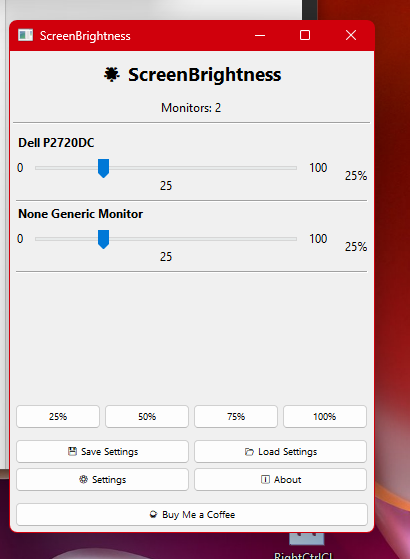
ScreenBrightness - Multi-Monitor Brightness Controller
A lightweight, portable Windows application for controlling the brightness of up to 6 monitors with an intuitive native interface.
Features
✨ Multi-Monitor Support - Control up to 6 displays simultaneously or individually
🎚️ Smooth Sliders - Adjust brightness with precision for each monitor
⚡ Quick Set Buttons - Instant presets at 25%, 50%, 75%, and 100% brightness
💾 Save & Load - Store your favorite brightness configurations and restore them anytime
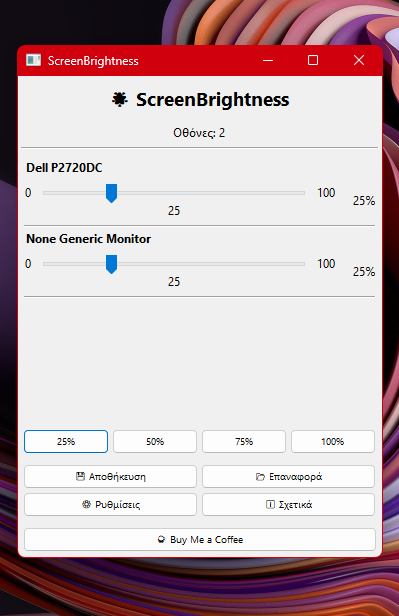
🌐 Bilingual Interface - Full support for English and Greek
📌 System Tray Integration - Minimize to tray for quick access without cluttering your taskbar
🚀 Fully Portable - No installation required, leaves no traces on your system
🔧 Native Windows UI - Built with wxPython for a clean, responsive interface
System Requirements
- Windows 10 or Windows 11
- Monitors with DDC/CI support (most modern displays)
- No admin rights required for basic operation
How to Use
- Run
ScreenBrightness.exe - Use the sliders to adjust individual monitor brightness
- Click quick-set buttons to adjust all monitors at once
- Save your favorite settings with the Save button
- Minimize to system tray for easy access
Note: If your monitors don't respond, enable DDC/CI in their OSD settings menu.
Developer
☕ Support development: https://buymeacoffee.com/mpoulieris
Download
Click download now to get access to the following files: